Network Cables Explained: The Complete Guide to Ethernet and Fibre Networking
Modern businesses depend on network cables to connect computers, servers, wireless access points, IP cameras, switches and other critical equipment. Although wireless technology continues to evolve, cable remains the foundation of reliable network infrastructure because it delivers consistent performance, low latency and dependable connectivity.
Whether you’re designing a new office network, upgrading a communications cabinet or expanding a data centre, selecting the right network cable helps improve performance, simplify future expansion and support long-term reliability. Understanding the different cable types available allows you to choose products that match your network requirements rather than paying for capabilities you don’t need.
What Are Network Cables?
Network cables are the physical medium that carries data between devices within a Local Area Network (LAN) or between networking equipment in larger communications systems.
Depending on the application, network cables may connect:
- Desktop computers
- Network switches
- Routers
- Servers
- Wireless access points
- IP security cameras
- Network Attached Storage (NAS)
- Patch panels
- Internet services
Different cable technologies are designed for different purposes. Some are optimised for short connections inside communications cabinets, while others support long-distance building links or high-capacity backbone infrastructure.
Choosing the correct cable type improves reliability, simplifies maintenance and ensures your network can support future business growth.
Why Choosing the Right Network Cable Matters
A network is only as reliable as the infrastructure connecting its devices. Selecting the wrong cable can introduce unnecessary limitations that affect performance, maintenance and future upgrades.
When choosing network cabling, consider factors such as:
- Required network speed
- Installation distance
- Available bandwidth
- Electromagnetic interference (EMI)
- Network growth plans
- Equipment compatibility
- Installation environment
For most modern commercial networks, investing in quality cabling during installation is considerably more cost-effective than replacing unsuitable infrastructure later.
Types of Network Cables
Several cable technologies are used throughout modern networks. Each is designed for different applications, distances and performance requirements.
Rather than trying to compare every option in detail here, this guide provides an overview before linking to dedicated buying guides for each technology.
Copper Ethernet Cables
Copper Ethernet cables remain the most widely used network media inside offices, schools, retail stores and commercial buildings.
They are commonly used to connect:
- Computers
- Network switches
- Wireless access points
- VoIP phones
- IP cameras
- Printers
- Patch panels
Modern Ethernet installations typically use twisted pair cabling that supports reliable Gigabit and multi-gigabit networking for business applications.
To learn more about copper networking, read our Copper Networking Explained | The Complete Guide to Ethernet Networks.
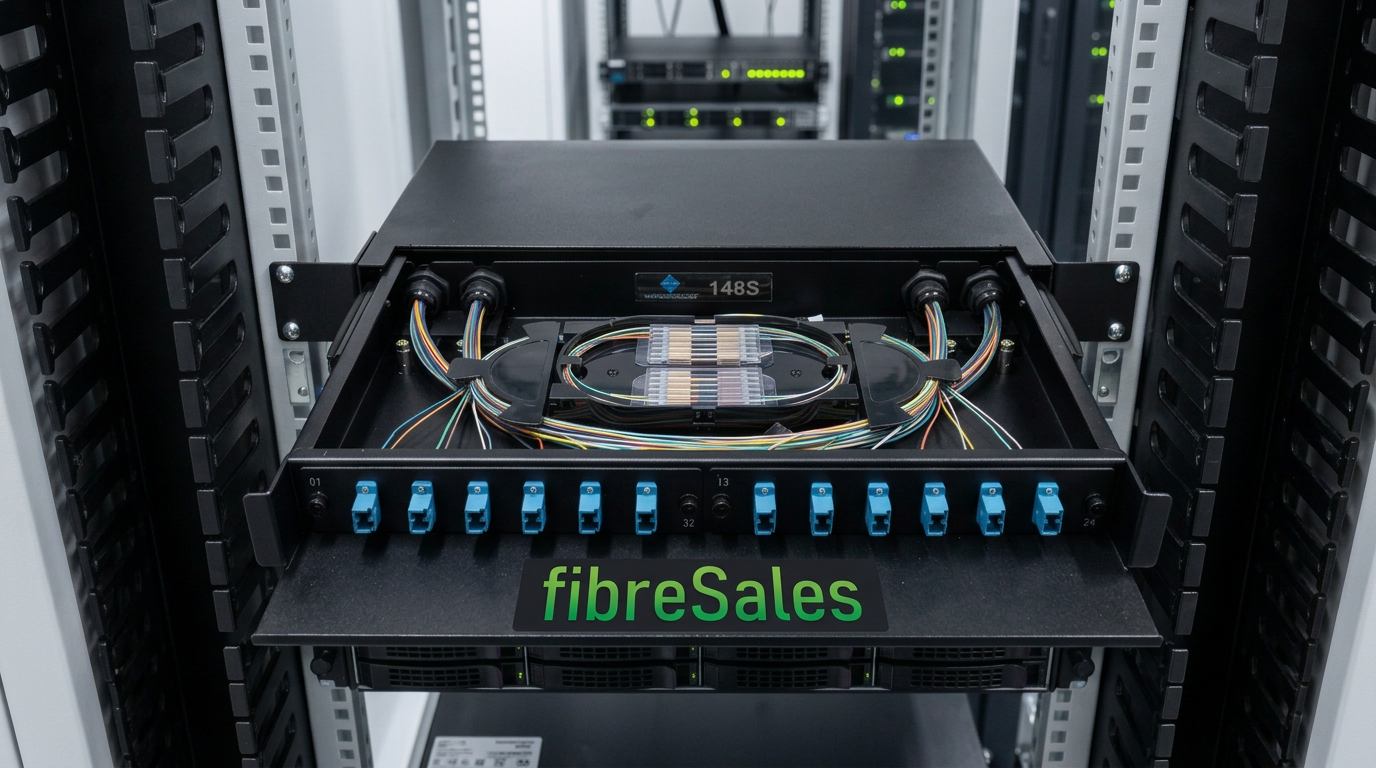
Fibre Optic Cables
Fibre optic cables transmit data using light rather than electrical signals, allowing significantly longer transmission distances and higher bandwidth than traditional copper cabling.
They are commonly used for:
- Building backbone connections
- Data centres
- Campus networks
- High-speed enterprise networking
- Telecommunications infrastructure
If your project requires long-distance or high-capacity networking, fibre optic solutions may be the most suitable option.
Patch Cables
Patch cables are short factory-terminated cables used to connect active networking equipment inside communications cabinets, offices and equipment rooms.
Common examples include:
- Cat6 Patch Cables
- Cat6AU Ultra Thin Patch Cables
- Fibre Optic Patch Leads
Selecting professionally manufactured patch cables helps provide consistent performance while simplifying installation and maintenance.
For a complete explanation, see Copper Patch Leads Explained | The Complete Guide to Ethernet Patch Cables.
Which Network Cable Is Right for Your Business?
The best network cable depends on your application rather than simply choosing the highest specification available.
As a general guide:
| Requirement | Recommended Solution |
|---|---|
| Office computers | Cat6 Patch Cables |
| High-density cabinets | Cat6AU Ultra Thin Patch Cables |
| Building backbone links | Fibre optic cabling |
| Data centres | Fibre optic infrastructure with appropriate patch leads |
| CCTV and PoE devices | Cat6 Patch Cables |
| Wireless access points | Cat6 Patch Cables |
The sections that follow explain how to compare these options and choose the most suitable solution for your network.
Understanding Copper Network Cables
Copper Ethernet cabling remains the most common choice for connecting network devices within commercial buildings, offices, schools, healthcare facilities and industrial environments. It offers an excellent balance of performance, reliability and cost, making it the preferred solution for most Local Area Network (LAN) installations.
Today’s Ethernet networks primarily use twisted pair copper cabling terminated with RJ45 connectors, allowing devices to communicate over standardised Ethernet protocols.
Rather than comparing every cable category here, the following overview explains the most common options used in modern business networks.
Cat6 Ethernet Cables
Cat6 is the current industry standard for many new commercial Ethernet installations. It supports Gigabit Ethernet over standard structured cabling distances and is suitable for many 10 Gigabit applications over shorter distances, making it an excellent choice for offices, education, healthcare, retail and light industrial environments.
Typical Cat6 applications include:
- Desktop computer connections
- Network switches
- Wireless access points
- Voice over IP (VoIP) phones
- IP security cameras
- Printers
- Patch panels
For a detailed explanation, read What is a Cat6 Patch Cable?.
If you’re ready to purchase, browse our range of Cat6 Patch Cables.
Cat6AU Ultra Thin Patch Cables
As communications cabinets become more densely populated, cable management plays an increasingly important role in network performance and maintenance.
Cat6AU Ultra Thin Patch Cables are designed with a smaller cable diameter than traditional patch leads, making them well suited to environments where large numbers of cables are installed together.
Benefits include:
- Reduced cable congestion.
- Improved airflow around network switches.
- Easier cable routing.
- Simpler cabinet management.
- Professional appearance in high-density installations.
Commonly used in:
- Data centres
- Enterprise communications cabinets
- School networks
- Healthcare facilities
- Large commercial offices
To understand when ultra-thin patch leads are the better choice, see CAT6 vs CAT6A vs CAT6AU | Which Ethernet Patch Cable Should You Choose?.
Choosing the Right Copper Patch Cable
Not every Ethernet installation requires the same type of patch lead. The best choice depends on your environment, cabinet density and future expansion plans.
As a general guide:
| Environment | Recommended Product |
|---|---|
| Office workstations | Cat6 Patch Cables |
| IP cameras and PoE devices | Cat6 Patch Cables |
| Wireless access points | Cat6 Patch Cables |
| High-density communications cabinets | Cat6AU Ultra Thin Patch Cables |
| Enterprise switch cabinets | Cat6AU Ultra Thin Patch Cables |
If you’re comparing standard and slimline designs, our guide Slimline vs Standard Patch Leads | Which Ethernet Cable Should You Choose? explains the advantages of each.
Understanding Fibre Optic Network Cables
While copper cabling is ideal for connecting devices within a Local Area Network, fibre optic cabling is the preferred solution when greater transmission distances, higher bandwidth or electrical isolation are required.
Instead of electrical signals, fibre optic cables transmit data using pulses of light. This allows them to carry significantly more data over much longer distances while remaining immune to electromagnetic interference (EMI).
Fibre optic infrastructure is commonly used for:
- Building-to-building connections
- Campus networks
- Data centres
- Telecommunications infrastructure
- Internet backbone networks
- High-capacity enterprise networking
(MM) Multimode Fibre
Multimode fibre is designed for shorter-distance, high-speed networking and is widely deployed within buildings and data centres.
Common multimode fibre types include:
- OM3
- OM4
- OM5
Typically used to connect switches, storage systems and servers within enterprise environments.
(SM) Singlemode Fibre
Singlemode fibre supports much longer transmission distances and is commonly used by telecommunications providers, utility companies, universities and organisations operating across multiple buildings or sites.
Iit is the preferred choice whenever long-distance connectivity, maximum scalability or future network expansion is required.
Copper vs Fibre Network Cables
Choosing between copper and fibre depends on the specific requirements of your network rather than one technology being universally better than the other.
| Requirement | Copper Ethernet | Fibre Optic |
|---|---|---|
| Office networking | ✓ Excellent | Suitable |
| Device connections | ✓ Excellent | Limited |
| Communications cabinets | ✓ Excellent | Excellent |
| Long-distance links | Limited | ✓ Excellent |
| Electromagnetic interference | Good | ✓ Immune |
| Data centre backbones | Suitable | ✓ Preferred |
Many organisations use both technologies together—copper for connecting end-user devices and fibre for linking communications rooms, buildings or high-speed core infrastructure.
How to Choose the Right Network Cables
Selecting the right network cables is about matching the cabling to your network requirements rather than simply choosing the highest specification available. While faster cable categories may appear attractive, they are not always necessary for every installation.
Instead, consider the network environment, connected devices and future expansion plans before making a purchasing decision.
Choosing Network Cables for Office Networks
Most office environments require reliable connectivity for desktop computers, VoIP phones, wireless access points and network printers. In these situations, professionally manufactured Cat6 Patch Cables provide an excellent balance of performance, reliability and value.
Additionally, Cat6 cabling supports modern business applications while allowing organisations to expand their networks without replacing their patch leads.
For a detailed explanation of Cat6 technology, read What is a Cat6 Patch Cable?.
Choosing Network Cables for Data Centres
Data centres often contain hundreds or even thousands of cable connections within a single communications cabinet. Consequently, cable management becomes just as important as network performance.
Where cabinet density is high, Cat6AU Ultra Thin Patch Cables can help reduce cable congestion and improve airflow around switches and servers. As a result, technicians often find it easier to identify connections and perform routine maintenance.
For larger backbone connections between racks or equipment rooms, fibre optic cabling is typically the preferred solution because it supports greater transmission distances and higher bandwidth.
Choosing Network Cables for CCTV and PoE
Modern IP surveillance systems rely on dependable Ethernet infrastructure to support compatible Power over Ethernet (PoE) equipment and high-definition video transmission.
For most CCTV deployments, Cat6 Patch Cables provide reliable connectivity between switches, patch panels and network video recorders. Furthermore, using professionally manufactured patch leads helps maintain consistent network performance across security systems that operate continuously.
If you’re planning a surveillance network, our upcoming Cat6 for IP Cameras guide explains how to choose the right solution for CCTV installations.
Choosing Network Cables for Wireless Networks
Wireless access points still depend on physical Ethernet connections to communicate with the rest of the network. Therefore, the performance of your Wi-Fi infrastructure is directly influenced by the quality of the underlying cabling.
Cat6 Patch Cables are widely used to connect wireless access points in offices, schools, healthcare facilities and retail environments because they support modern Ethernet applications while providing dependable long-term performance.
Factors to Consider When Selecting Network Cables
Every installation is different. However, evaluating a few key factors before purchasing network cables can help you choose products that meet both your current and future requirements.
Consider the following:
- The type of devices being connected.
- The required transmission distance.
- Available network bandwidth.
- Future business growth.
- Communications cabinet density.
- Environmental conditions.
- Compatibility with existing network infrastructure.
- Budget and long-term value.
Although the initial purchase price is important, the overall reliability and lifespan of the cabling should also be considered. Investing in quality networking products often reduces maintenance costs and supports a more dependable network over time.
Why Quality Network Cables Matter
Network performance depends on more than switches, routers and servers. Every cable connection contributes to the stability of the overall infrastructure.
Professionally manufactured network cables help provide:
- Reliable data transmission.
- Consistent manufacturing quality.
- Improved cable management.
- Simplified maintenance.
- Long-term network reliability.
- Compatibility with modern networking equipment.
Consequently, selecting quality cabling during the planning stage can help reduce future maintenance while supporting the performance expected from today’s business networks.
Common Network Cable Mistakes to Avoid
Choosing the right network cables is only part of building a reliable network. Installation decisions can also affect long-term performance, maintenance and future expansion. Fortunately, many of the most common issues are easy to avoid with careful planning.
Choosing Network Cables Based Only on Price
Budget is always an important consideration. However, selecting the lowest-priced option without considering quality may lead to unnecessary maintenance, equipment downtime and replacement costs.
Instead, look for professionally manufactured network cables that are designed for commercial networking environments. Although the initial investment may be slightly higher, quality cabling often delivers better long-term value through improved reliability and durability.
Using the Wrong Network Cables for the Application
Not every cable is designed for every environment. Consequently, selecting products that match the intended application helps improve both performance and service life.
For example:
- Office workstations typically use Cat6 Patch Cables.
- High-density communications cabinets may benefit from Cat6AU Ultra Thin Patch Cables.
- Building backbone connections generally require fibre optic cabling.
- Enterprise data centres often combine copper and fibre infrastructure.
Matching the cable to the application allows organisations to build networks that are easier to maintain and expand.
Overlooking Future Network Growth
Many networks begin with today’s requirements in mind. However, business needs often change over time as additional staff, devices and services are introduced.
When planning new infrastructure, consider:
- Future workstations.
- Additional wireless access points.
- IP security cameras.
- Voice over IP systems.
- New communications cabinets.
- Business expansion.
Planning for future growth during the initial installation can reduce upgrade costs and minimise disruption later.
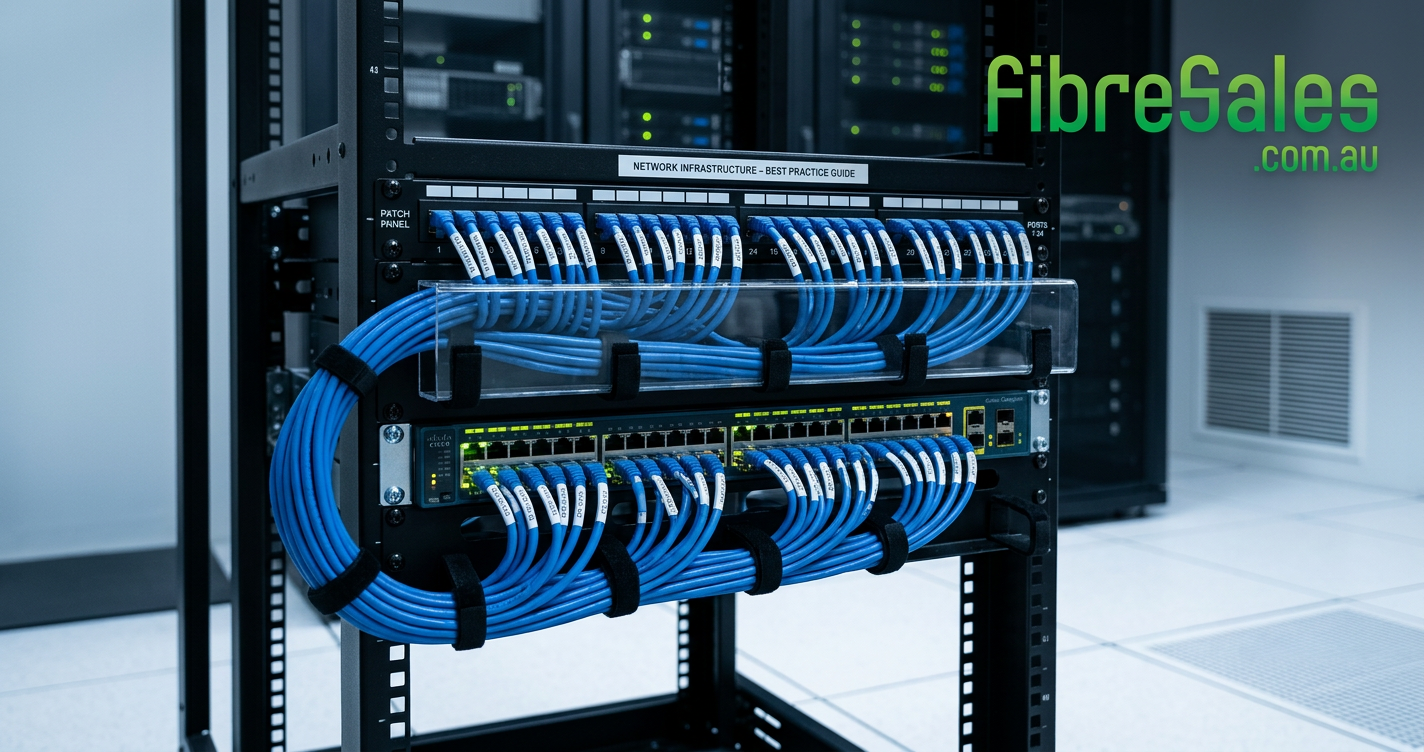
Poor Cable Management
Even high-quality network cables cannot compensate for poor cable management. Untidy communications cabinets can make routine maintenance more difficult and increase the time required to identify network connections.
Good cable management practices include:
- Using appropriately sized patch leads.
- Routing cables neatly.
- Labelling network connections clearly.
- Maintaining separation between cable bundles where practical.
- Allowing room for future additions.
Consequently, well-organised cabinets are easier to service and present a more professional installation.
Ignoring Industry Standards
Professional network installations should follow recognised structured cabling standards wherever appropriate. These standards help promote compatibility, consistency and long-term reliability across network infrastructure.
Commonly referenced standards include:
- ANSI/TIA structured cabling standards.
- ISO/IEC 11801 generic cabling standards.
- IEEE Ethernet standards.
Following recognised standards also simplifies future upgrades because network infrastructure is built using widely accepted design principles.
Frequently Asked Questions About Network Cables
What are network cables used for?
Network cables connect computers, switches, wireless access points, IP cameras, servers and other network devices, allowing them to exchange data across an Ethernet network.
Which network cable is best for an office?
For most modern office environments, Cat6 Patch Cables provide an excellent balance of performance, reliability and value. They support a wide range of business applications and are suitable for connecting desktop computers, network switches and other Ethernet devices.
Should I choose copper or fibre network cables?
The answer depends on your application.
Copper cabling is commonly used to connect end-user devices within buildings. In contrast, fibre optic cabling is generally preferred for longer-distance links, backbone infrastructure and high-capacity enterprise networks.
Are Cat6 Patch Cables suitable for PoE?
Yes. When used with compatible networking equipment, Cat6 Patch Cables are well suited to Power over Ethernet (PoE) applications, including wireless access points, VoIP phones and IP security cameras.
How long do network cables last?
Professionally manufactured network cables can provide many years of reliable service when installed correctly and used within their intended operating environment. Regular inspections and good cable management practices also help maximise service life.
Why buy network cables from fibresales?
fibresales supplies professional networking products for businesses, IT professionals, installers and contractors throughout Australia.
Our range includes Cat6 Patch Cables, fibre optic patch leads and other networking solutions designed to support reliable Ethernet infrastructure across commercial, industrial and enterprise environments.
Conclusion
Modern network cables form the foundation of every reliable business network. From connecting office workstations and wireless access points to supporting IP surveillance systems and high-speed backbone infrastructure, selecting the right cabling helps improve network performance, simplify maintenance and support future expansion.
Rather than choosing products based solely on specifications or price, it is important to match the cable to the intended application. Consequently, organisations that invest in quality networking infrastructure are better positioned to support business growth while reducing maintenance and replacement costs.
Whether you’re installing a small office network, upgrading a communications cabinet or designing enterprise infrastructure, professionally manufactured networking products provide the dependable performance expected in today’s commercial environments.
Shop Professional Network Cables from fibresales
At fibresales, we supply professional networking products for businesses, government organisations, education providers, healthcare facilities, electrical contractors and IT professionals across Australia.
Our range includes:
- Cat6 Patch Cables for general Ethernet networking.
- Cat6AU Ultra Thin Patch Cables for high-density communications cabinets.
- Fibre Optic Patch Leads for backbone and high-speed network connections.
- Fibre Patch Panels and Enclosures for structured fibre installations.
- SFP Transceivers for fibre networking applications.
- Fibre Cleaning Products for maintaining reliable optical connections.
Whether you’re building a new network or expanding an existing installation, fibresales offers quality networking products backed by experienced technical support.
For more fibre optic solutions, copper networking products and technical resources, visit https://www.fibresales.com.au.
Continue Learning
Expand your networking knowledge with these related guides:
- Copper Networking Explained | The Complete Guide to Ethernet Networks
- Copper Patch Leads Explained | The Complete Guide to Ethernet Patch Cables
- What is a Cat6 Patch Cable?
- CAT6 vs CAT6A vs CAT6AU | Which Ethernet Patch Cable Should You Choose?
- Slimline vs Standard Patch Leads | Which Ethernet Cable Should You Choose?
- Cat6 for IP Cameras
- Best Cat6 Cable for PoE (Coming Soon)
- What Length Patch Cable Should I Buy? (Coming Soon)
References
- IEEE 802.3™ Ethernet Working Group
https://standards.ieee.org/ieee/802.3/ - ANSI/TIA-568 Telecommunications Cabling Standards
https://tiaonline.org/ - ISO/IEC 11801 – Information Technology – Generic Cabling for Customer Premises
https://www.iso.org/standard/66182.html - BICSI Telecommunications Distribution Methods Manual (TDMM)
https://www.bicsi.org/education-certification/education/technical-publications - Australian Communications and Media Authority (ACMA) – Cabling Requirements
https://www.acma.gov.au/