Copper Networking Explained: The Complete Guide to Ethernet Networks
Copper networking remains the backbone of millions of local area networks (LANs) around the world. From small offices and schools to enterprise data centres, hospitals, warehouses and industrial facilities, Ethernet over copper continues to provide a reliable, cost-effective solution for connecting network devices.
Although fibre optic technology is increasingly used for high-speed backbones and long-distance links, copper networking remains the preferred choice for most end-device connections due to its simplicity, affordability and widespread compatibility.
Understanding networking helps network designers, installers and IT professionals select the correct Ethernet components, build reliable structured cabling systems and support future network growth.
Throughout this guide, you’ll find links to more detailed FibreSales technical resources covering every aspect of copper networking, from choosing patch leads to troubleshooting Ethernet faults.
FibreSales supplies a comprehensive range of Copper products suitable for commercial, industrial and enterprise networking applications, together with complementary fibre optic products for hybrid network infrastructure.
What Is Copper Networking?
Copper networking uses twisted-pair copper cabling to transmit Ethernet data between connected devices.
Unlike fibre optic cabling, which transmits light, copper Ethernet cables carry electrical signals across balanced twisted pairs.
Copper networking commonly connects:
- Desktop computers.
- Servers.
- Network switches.
- Routers.
- Firewalls.
- Wireless access points.
- IP telephones.
- CCTV systems.
- Industrial control equipment.
- Building automation devices.
For most horizontal building cabling, copper Ethernet remains the most practical and economical solution.
How Copper Networking Works
Modern networking is based on Ethernet standards defined by IEEE 802.3.
Each Ethernet cable contains four twisted pairs designed to minimise electromagnetic interference while maintaining signal integrity.
Together with switches, patch panels and structured cabling, these cables form the physical infrastructure supporting local network communications.
The performance of a copper network depends on:
- Cable category.
- Connector quality.
- Installation practices.
- Cable length.
- Environmental conditions.
- Active network equipment.
Copper Networking Standards
One of the strengths of copper networking is the broad adoption of international standards.
Common cable categories include:
CAT5e
Suitable for Gigabit Ethernet up to 100 metres.
CAT6
Provides improved bandwidth and reduced crosstalk with limited 10 Gigabit capability depending on installation length.
CAT6A
Supports 10 Gigabit Ethernet over the full 100-metre channel and is the preferred option for many new commercial installations.
Future branch:
CAT5e vs CAT6 vs CAT6A
Copper Patch Leads
Patch leads form the final connection between active equipment and structured cabling.
Selecting quality Copper Patch Leads helps maintain reliable Ethernet performance while simplifying maintenance.
Our dedicated Copper Patch Leads Explained article explores cable categories, shielding, boot styles, slimline designs and installation best practices.
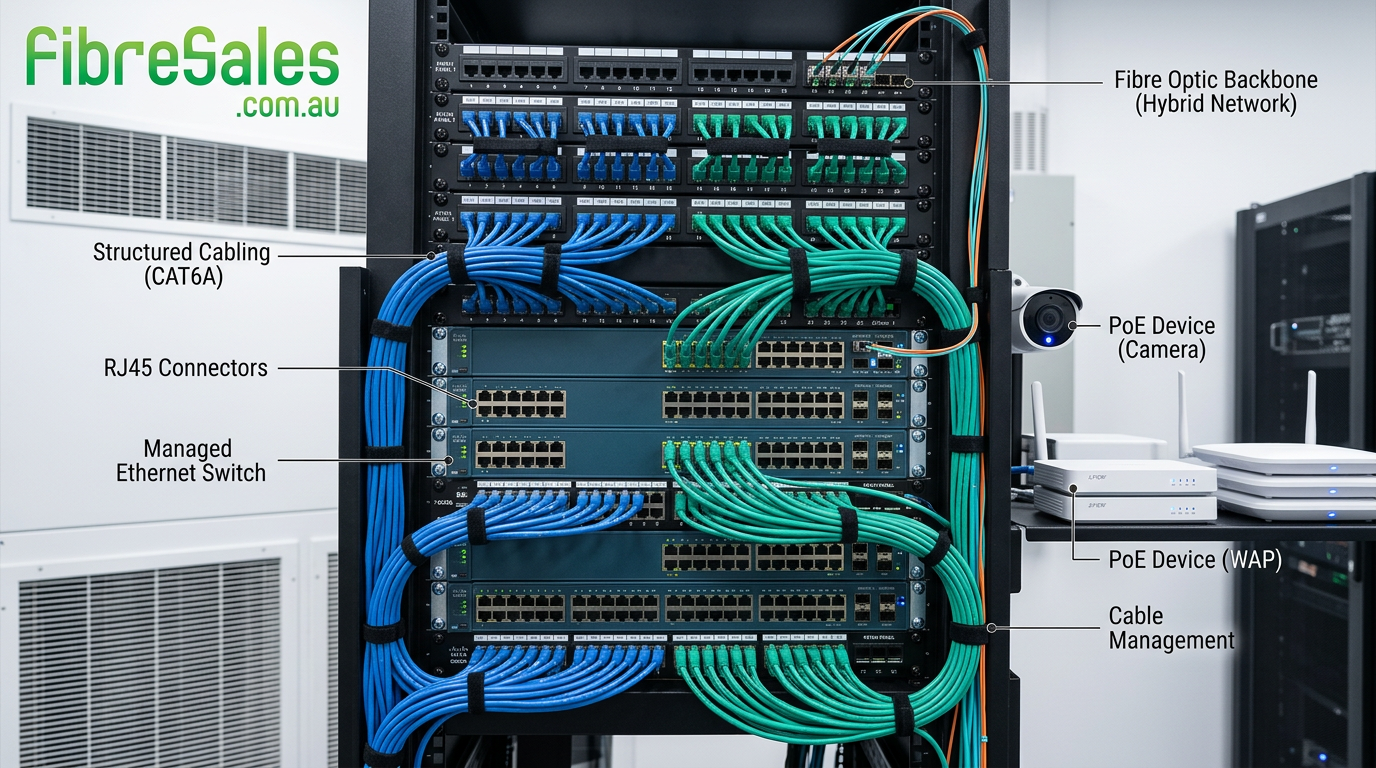
Structured Cabling and Copper Networking
A well-designed structured cabling system improves scalability and simplifies maintenance.
Typical components include:
- Horizontal cabling.
- Patch panels.
- couplers
- Equipment racks.
- Wall outlets.
- Patch leads.
- Cable management systems.
Following recognised structured cabling practices allows future equipment upgrades without replacing the permanent cabling infrastructure.
Power over Ethernet (PoE)
One of the major advantages of copper networking is the ability to deliver both data and electrical power over a single cable.
PoE supports devices such as:
- Wireless access points.
- IP cameras.
- VoIP phones.
- Access control systems.
- Building automation controllers.
Correct cable selection becomes increasingly important as PoE power levels continue to increase.
read:
PoE vs PoE+ vs PoE++ | Which Power over Ethernet Standard Do You Need?
Shielded vs Unshielded Copper Networking
Different environments require different cable constructions.
Unshielded cable is suitable for most commercial environments.
Shielded cable is recommended where high levels of electromagnetic interference are present, including:
- Manufacturing.
- Mining.
- Heavy industry.
- Plant rooms.
- Electrical switch rooms.
read:
Shielded vs Unshielded Ethernet Cable
Copper Networking Speeds
Modern Ethernet supports a wide range of speeds.
Common standards include:
| Ethernet Standard | Typical Speed |
|---|---|
| Fast Ethernet | 100 Mbps |
| Gigabit Ethernet | 1 Gbps |
| Multi-Gigabit Ethernet | 2.5 Gbps |
| Multi-Gigabit Ethernet | 5 Gbps |
| 10 Gigabit Ethernet | 10 Gbps |
Future branch:
Ethernet Speed Guide
Installing Copper Networks
Reliable copper networking depends on good installation practices.
Key considerations include:
- Bend radius.
- Cable support.
- Cable separation.
- Patch panel management.
- Cable labelling.
- Cable testing.
- Proper termination.
Good workmanship reduces faults and simplifies future maintenance.
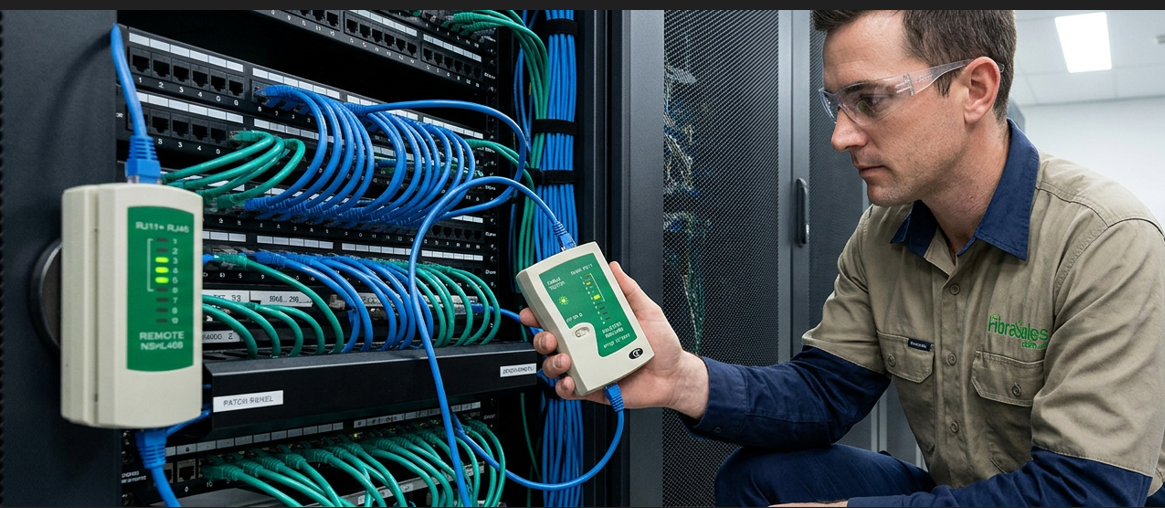
Testing Copper Networks
Every new installation should be tested before commissioning.
Testing typically includes:
- Wire map verification.
- Continuity testing.
- Performance certification.
- PoE verification where required.
linked branches:
- Testing Ethernet Cables
- Copper Network Troubleshooting
Copper Networking vs Fibre Networking
Fibre and Copper each play an important role in modern networks.
Networking using copper is ideal for:
- End-user device connections.
- Office workstations.
- PoE applications.
- Cost-effective LAN deployment.
Networking using fibre is generally preferred for:
- High-speed backbones.
- Long-distance links.
- High-bandwidth data centre interconnects.
- Electromagnetically noisy environments.
Rather than competing technologies, copper and fibre are often deployed together within the same network.
Real-World Deployment
A logistics company upgraded its warehouse network by installing CAT6A structured cabling to support Wi-Fi 6 access points, IP cameras and VoIP telephones. Fibre optic links connected the warehouse to the administration building, while copper networking provided the final connections to hundreds of devices throughout the facility.
Using quality Copper Patch Leads together with professional cable management improved airflow within equipment racks, simplified maintenance and reduced unplanned network downtime.
Best Practices
For reliable copper networking:
- Select the appropriate cable category.
- Use certified patch leads.
- Install structured cabling correctly.
- Protect cables from excessive bending.
- Label every connection.
- Test before commissioning.
- Maintain accurate documentation.
- Plan capacity for future expansion.
Engineering Decision Insight
Although fibre optic technology continues to expand, networking remains an essential part of modern communications infrastructure. Most organisations rely on copper Ethernet for device connectivity, PoE delivery and structured cabling because it provides an effective balance of performance, compatibility and cost. Understanding the principles of networking enables informed decisions about cable selection, installation and future upgrades while ensuring reliable network performance.
References
For further technical guidance, consult:
- ISO/IEC 11801 Information Technology – Generic Cabling.
- IEEE 802.3 Ethernet Standards.
- BICSI Telecommunications Distribution Methods Manual (TDMM).
- Ethernet Alliance technical resources.
Conclusion
Copper networking remains the foundation of most local area networks, delivering reliable Ethernet connectivity to computers, wireless access points, IP phones, security systems and countless other devices. By understanding Ethernet standards, structured cabling principles, cable categories and installation best practices, organisations can build networks that are both dependable today and ready for future growth.
Whether you are deploying a new office, expanding a data centre or upgrading an industrial network, FibreSales offers a complete range of Copper products to support professional Ethernet installations.
Explore the related articles throughout this pillar to deepen your knowledge and make informed decisions when selecting copper networking solutions.
read our articles Full Guide to Choosing the Right Copper patch cable and Copper Patch Leads explained for more information.
For professional copper products, visit www.fibresales.com.au to explore Australia’s growing resource centre for fibre optic products, technical guides and professional testing solutions.
Continue Learning
- Copper Networking Explained | The Complete Guide to Ethernet Networks
- Copper Patch Leads Explained | The Complete Guide to Ethernet Patch Cables
- What is a Cat6 Patch Cable?
- CAT6 vs CAT6A vs CAT6AU | Which Ethernet Patch Cable Should You Choose?
- Slimline vs Standard Patch Leads | Which Ethernet Cable Should You Choose?
- Cat6 for IP Cameras
- Best Cat6 Cable for PoE
- What Length Patch Cable Should I Buy? | fibresales Buying Guide
- Best Cat6 Patch Cable for Home Networks
- Cat6 vs Fibre: Which Network Cable Should You Choose?
- RJ45 Connectors explained
- What does RJ45 Mean?
- Ethernet Cable Testing
- Why Most Ethernet Networks Use T568B
- PoE vs PoE+ vs PoE++
- PoE RJ45 Pinout
- RJ 45 Couplers Explained | Do Ethernet Couplers Affect Speed?
- RJ45 punch-Down Tools